
Screen Recorder1.0 - Google Play
You'll be able to see results in few seconds.
Publisher Description
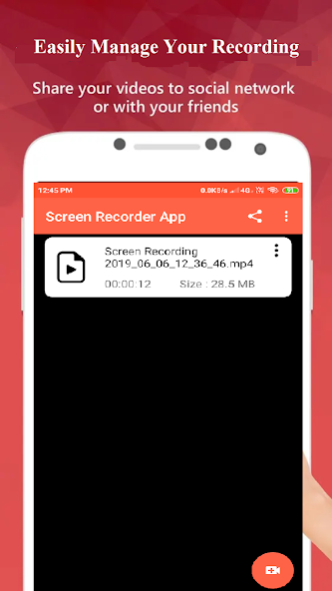

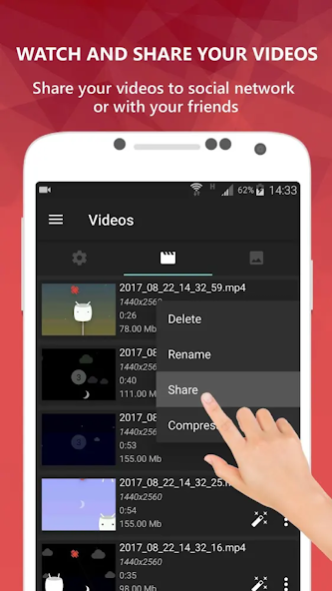
Screen Recorder is an app help you easy Record Screen and Take Screenshot anywhere.
FA&Q
Q: Why the app doesn't support record internal sound?
A: Android doesn't public API to support 3rd party app so the MIC is the only way.
Q: Why the app can't record a call, Whatsapp, PUBG or other apps that use the MIC?
A: Two apps can't use the MIC at the same time. It will conflict hardware so you need to turn off the feature "Record sound" in the settings this app.
NOTE: If you are using XIAOMI device, please do the following:
You must go to security ->choose permission -> permission -> Screen Recorder and turn on pop up window. Follow up, you go to security -> Permission -> AutoStart -> turn on Screen Recorder.
Press recently app button and look at Screen Recorder, if Recorder hasn't locked (lock icon over Screen Recorder), please pull down it -> OK
[Main Feature]
+ Support save a video in SD Card or anything location which you want.
+ Record screen
+ Take screenshot
+ Support facecam (both front and back) while recording. You can double tap the preview to change.
+ Support Magic Button help stop, pause and show time record
+ Support pain to you can note by the way draw while recording
+ Trim video after finish recording or any video has format MP4 available on devices
+ Record sound of MIC when record screen video
+ Insert logo text, logo image
+ Support Day/Night theme
+ Support quick tiles (shortcuts for the notification panel) for Android 7.0 and greater
[User Guide]
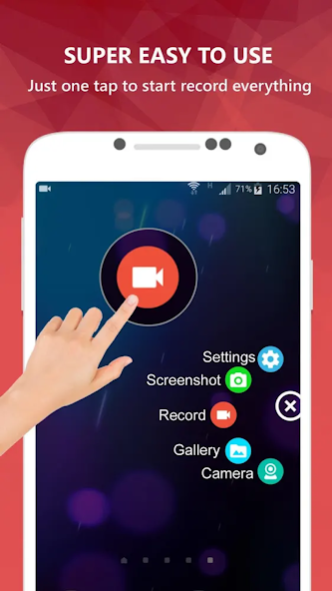
1. Click the Orange button
2. Allow all permissions
3. Click the Orange button again to start using
You can use quick tiles (screen recorder, capture screenshot)on the notification panel (From Android 7.0 and higher)
[Note]
+ For device running Android 6.0. You need must allow OVERLAY_PERMISSION and other permission
If you like, Screen Recorder app don't forget rate five stars ★★★★★ or review. They are appreciated for me. Thank you so much
About Screen Recorder
The company that develops Screen Recorder is Alpha Soft. Tech. The latest version released by its developer is 1.0.
To install Screen Recorder on your Android device, just click the green Continue To App button above to start the installation process. The app is listed on our website since 2019-06-06 and was downloaded 0 times. We have already checked if the download link is safe, however for your own protection we recommend that you scan the downloaded app with your antivirus. Your antivirus may detect the Screen Recorder as malware as malware if the download link to com.alphasofttech.screenrecorderapp is broken.
How to install Screen Recorder on your Android device:
- Click on the Continue To App button on our website. This will redirect you to Google Play.
- Once the Screen Recorder is shown in the Google Play listing of your Android device, you can start its download and installation. Tap on the Install button located below the search bar and to the right of the app icon.
- A pop-up window with the permissions required by Screen Recorder will be shown. Click on Accept to continue the process.
- Screen Recorder will be downloaded onto your device, displaying a progress. Once the download completes, the installation will start and you'll get a notification after the installation is finished.
Program Details
System requirements
Download information
Pricing
Version History
version 1.0
posted on 2019-06-06
Enjoy the App
Disclaimer
Official Google Play Link
We do not host Screen Recorder on our servers. We did not scan it for viruses, adware, spyware or other type of malware. This app is hosted by Google and passed their terms and conditions to be listed there. We recommend caution when installing it.
The Google Play link for Screen Recorder is provided to you by apps112.com without any warranties, representations or guarantees of any kind, so access it at your own risk.
If you have questions regarding this particular app contact the publisher directly. For questions about the functionalities of apps112.com contact us.
